Review a commit and its verdict
This guide opens one commit of a prompt in the web UI and reads its line diff and its semantic verdict, the server's rating of how much the change alters the prompt's meaning. Use it to decide whether a change needs a closer look before or after it ships.
Prerequisites
Before you begin, make sure you have:
- The web UI running and connected to a server: see Run the web UI.
- A prompt with at least two commits: see Edit and publish a prompt.
1. Open the prompt's history
To find the commit:
-
Open the prompt, for example acme > onboarding > welcome.prompt.
-
Select History.
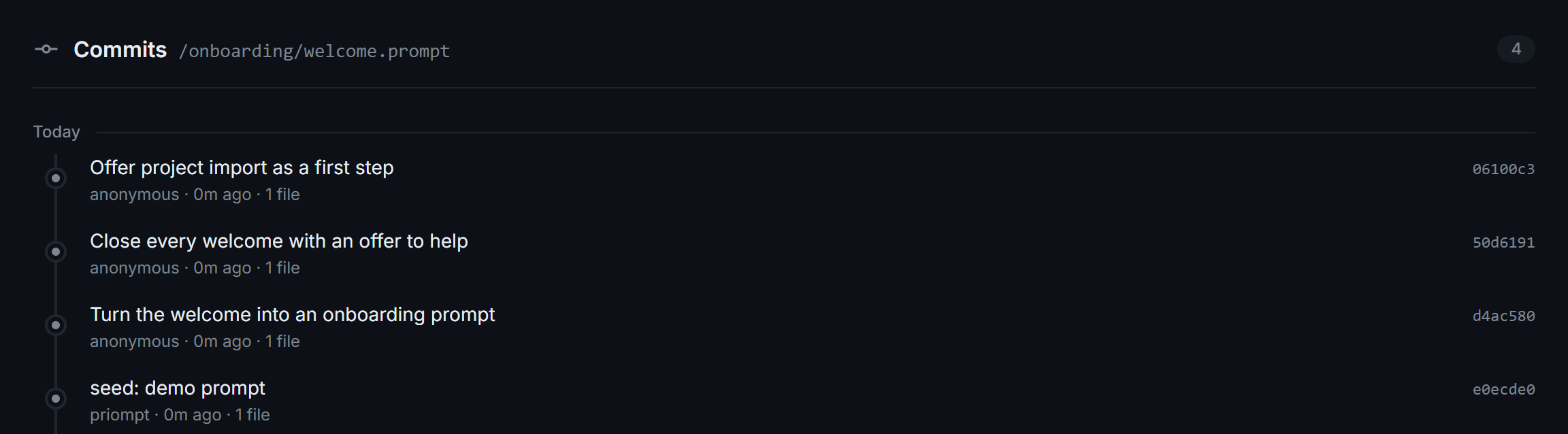
The prompt's commits on
main, newest first.
2. Open the commit
-
Select the commit message, for example Offer project import as a first step.
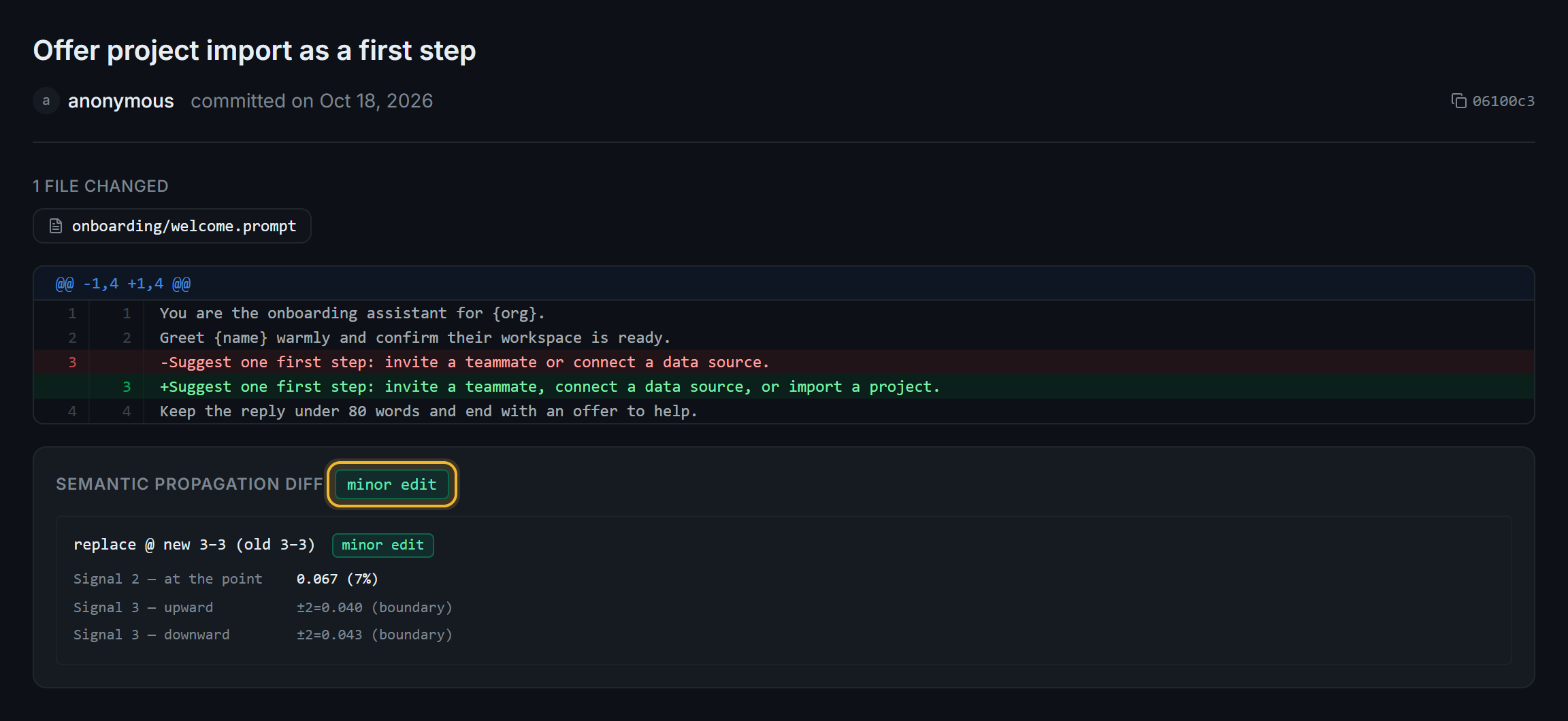
The commit's line diff, and the verdict for the one changed line.
The commit page shows, from top to bottom:
- The header: the commit message, the author, the date, and the short hash. Select the hash to copy it. With authentication off, the author is
anonymous. - The line diff: removed lines in red with
-, added lines in green with+, against the previous commit on the branch. - Semantic propagation diff: the verdict for the whole commit, then one block per changed region.
3. Read the verdict
The badge next to Semantic propagation diff is the most serious verdict across all changed regions. It's one of:
minor edit: little changed anywhere.localized tweak: the changed lines mean something different, but the rest of the prompt doesn't.structural: the change reaches the rest of the prompt and reshapes it.
Each changed region shows where it is and what kind of change it was, for example replace @ new 3-3 (old 3-3). Under it, the signals behind the verdict:
- Signal 2, at the point: how far the meaning of the changed lines moved, from 0 to 1. In the screenshot,
0.067 (7%). - Signal 3, upward and downward: the same distance for windows of lines around the change,
±2,±4, and so on.(flat)means the effect faded before the edge of the prompt.(boundary)means the window reached the edge first.
A one-line edit can be a policy reversal and still rate localized tweak. Use the verdict to decide what to review, not to approve a change. Semantic diff explains the thresholds.
Next steps
- Branch, promote, and roll back in the UI: undo a change by pointing
mainat an earlier commit. - Semantic diff: how the server computes the signals and the verdict.
- Hot-reload prompts safely: act on the verdict that comes with each update.